

Scared Photomanipulation Tutorial - PART 2

20
Aug'10
Cpotorac
Member since:
Aug 2010

This tutorial will be a little different than all the other tutorials I wrote. Here I will teach you some basic things about Photomanipulation.

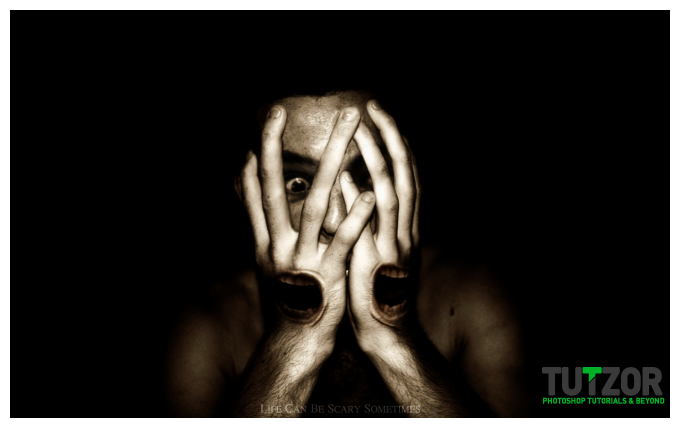
Final Image

Step
26
Cpotorac
Member since:
Aug 2010
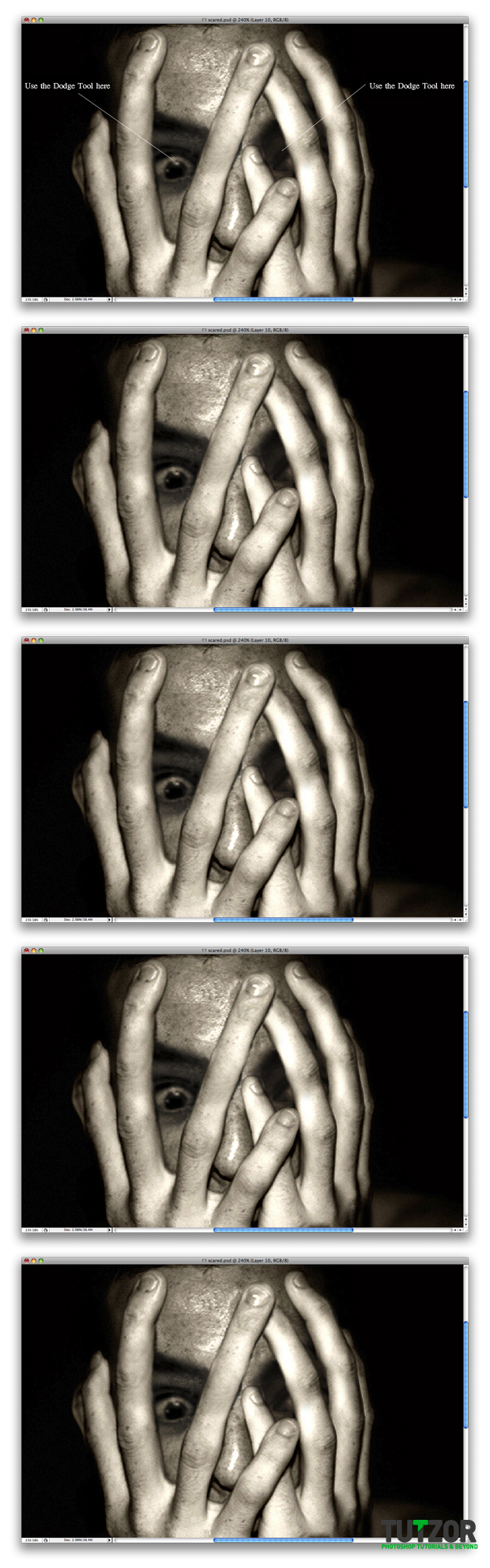
Finally using the Dodge Tool we will lighten some parts of the image. Start with the eyes.
Step
27
Cpotorac
Member since:
Aug 2010
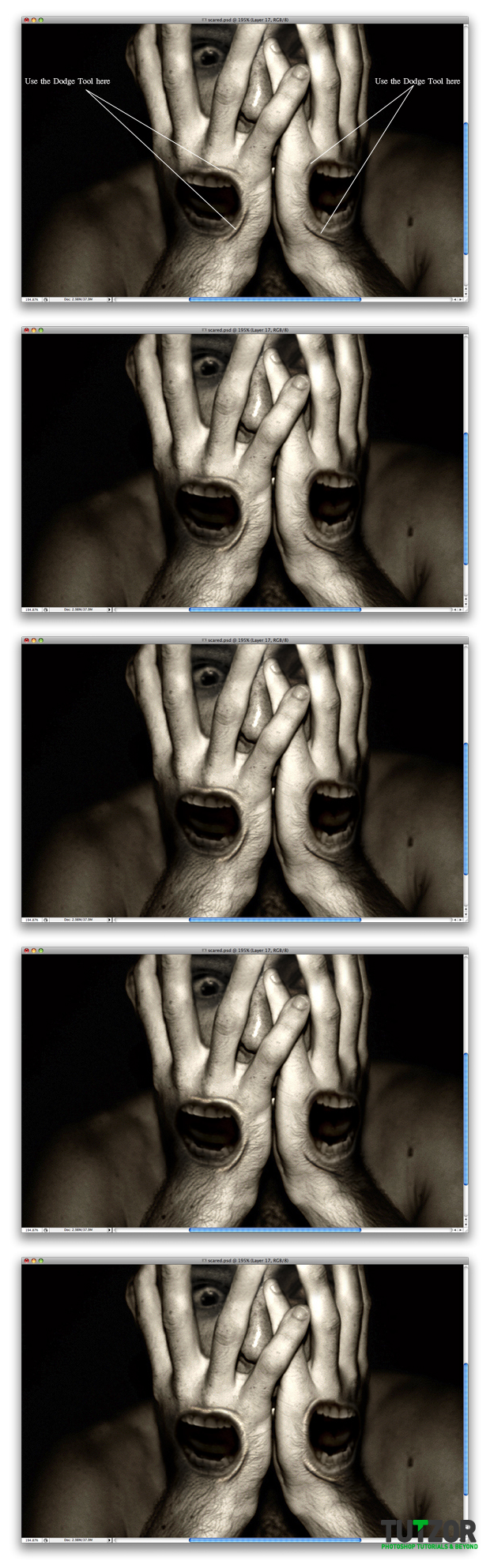
Now finish with the Dodge Tool on both mouths. Lighten in the spots I have specified in the preview:
Step
28
Cpotorac
Member since:
Aug 2010
In the end you can finish the work with a nice texture. In my case I like it as it is. Thank you for reading.

Comments

Comments

Post new Tutzor Comment

The content of this field is kept private and will not be shown publicly.
  • Web page addresses and e-mail addresses turn into links automatically.
  • Allowed HTML tags: <a> <em> <strong> <cite> <code> <ul> <ol> <li> <dl> <dt> <dd>
  • Lines and paragraphs break automatically.

More information about formatting options